Mean Median Mode Calculator
Enter a set of numbers separated by commas, spaces, or line breaks. The calculator will compute the mean (average), median (middle value), and mode (most frequent value).
Results
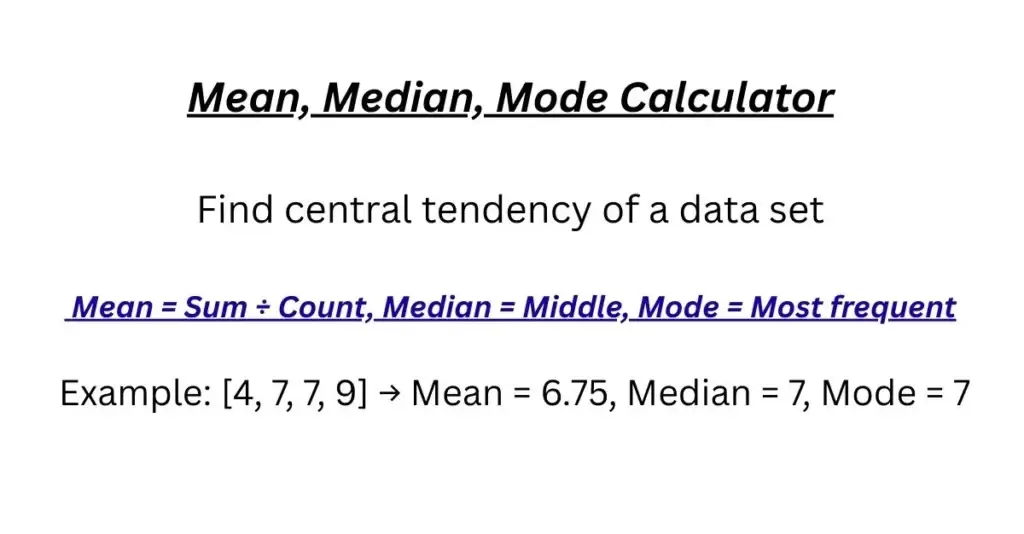
If you’ve ever stared at a long list of numbers and wondered, “What’s the typical value here?” you’re asking exactly the question that the Mean Median Mode Calculator was designed to answer. Whether you’re a student working on a statistics assignment, a teacher preparing classroom materials, a researcher analyzing survey data, or just someone trying to make sense of numbers in daily life, this calculator takes the confusion out of finding central values in any dataset.
In the next few minutes, you’ll learn not just how to use this calculator, but why these three measures—mean, median, and mode—matter in the real world. You’ll discover how they each tell a different story about your data, when to use which one, and how to avoid common mistakes that trip up even experienced data handlers. By the end, you’ll be able to confidently analyze any set of numbers and understand what they’re really telling you.
Definition of the Mean Median Mode Calculator
A Mean Median Mode Calculator is a digital tool that automatically computes three fundamental measures of central tendency from any set of numbers you provide—the average value (mean), the middle value (median), and the most frequent value (mode).
Think of it this way: When you have a bunch of numbers, you naturally want to find the “typical” or “central” value that represents the whole group. The mean gives you the mathematical average, the median shows you the true middle point, and the mode reveals the most popular value. What makes this calculator special is that it doesn’t just give you one answer—it gives you three different perspectives on your data, all calculated instantly.
This differs from basic average calculators that only compute the mean. It’s more comprehensive than median-only tools and smarter than manual calculations that take time and can introduce errors. Whether you’re analyzing test scores, household expenses, sports statistics, or scientific measurements, this calculator helps you understand not just what your numbers are, but what they mean.
What the Mean Median Mode Calculator Is
When you use a Mean Median Mode Calculator, you’re essentially asking a very smart math assistant to look at your numbers and tell you three important things about them. Here’s what happens in simple terms:
You enter your numbers—any numbers, in any order, separated by commas or spaces. The calculator then:
Sorts your numbers from smallest to largest (behind the scenes)
Calculates the mean by adding all numbers and dividing by how many there are
Finds the median by locating the exact middle value
Identifies the mode by counting which number appears most often
Shows you all three results, plus your sorted numbers for verification
The magic happens in milliseconds, but what you’re really getting is a complete picture of your dataset’s center. The mean result tells you about the mathematical balance point, the median result tells you about the distribution’s midpoint, and the mode result tells you about the most common occurrence. Together, they help you understand whether your numbers cluster together, spread out evenly, or group around particular values.
Why the Mean Median Mode Calculator Is Used
Academic Applications
Students use the Mean Median Mode Calculator daily in math, science, and social studies classes. When analyzing experiment results in biology, comparing historical population data in social studies, or interpreting economic figures in business courses, these three measures provide the foundation for understanding numerical information. Teachers use it to quickly analyze test scores, track classroom performance trends, and prepare teaching materials without getting bogged down in manual calculations.
Professional and Research Uses
Researchers across fields—from psychology to market research—rely on mean, median, and mode to summarize their findings. A psychologist might calculate the average response time in an experiment, a market researcher might find the most common age of customers, and a quality control engineer might track the median size of manufactured parts. In each case, the calculator provides quick, accurate summaries of complex data.
Everyday Practical Applications
Beyond academics, you might use this calculator to:
Compare household utility bills over several months
Analyze your weekly grocery spending patterns
Calculate average commute times
Understand salary ranges in different professions
Track exercise or health measurement trends
The reason people reach for this calculator instead of calculating manually isn’t just about speed—it’s about accuracy. Manual calculations, especially with large datasets, are prone to simple arithmetic errors, sorting mistakes, and miscounting. The calculator eliminates these errors while providing immediate results that help you make informed decisions based on your data.
Formula Used in the Mean Median Mode Calculator
Let’s break down exactly what the Mean Median Mode Calculator is doing with your numbers. Don’t worry—these formulas are simpler than they might look at first glance, and I’ll explain each part clearly.
The Mean Formula
Mean = (Sum of all numbers) ÷ (Count of numbers)
In plain language: Add up every number in your set, then divide that total by how many numbers you have. If your numbers were [5, 10, 15], you’d add them (5+10+15=30), count them (3 numbers), then divide (30÷3=10). The mean is 10.
Why does this work? The mean finds the mathematical balancing point. If you imagined your numbers as weights on a seesaw, the mean is the point where the seesaw balances perfectly. This makes it excellent for understanding the overall level of your data, but sensitive to extreme values (which we’ll discuss later).
The Median Formula
Finding the median involves these steps:
Sort all numbers from smallest to largest
If you have an odd number of values: Median = Middle value
If you have an even number of values: Median = Average of the two middle values
For example, with numbers [3, 1, 7, 4, 2]:
Sort: [1, 2, 3, 4, 7]
Odd count (5 numbers): Middle value = 3 (the third number)
With numbers [3, 1, 7, 4]:
Sort: [1, 3, 4, 7]
Even count (4 numbers): Two middles are 3 and 4
Average: (3+4)÷2 = 3.5
The median works by literally finding the center of your data. Unlike the mean, it’s not affected by how large or small your extreme values are—only by their position. This makes it perfect for datasets with outliers or skewed distributions.
The Mode Formula
The mode is the simplest conceptually but can be trickier computationally:
Mode = The value that appears most frequently in the dataset
The calculator counts how many times each number appears and selects the one with the highest count. Some important notes:
A dataset can have one mode, multiple modes, or no mode at all
If all values appear equally often, there’s technically no mode
If two or more values tie for highest frequency, all are modes
The mode works by identifying popularity or clustering in your data. It answers the question, “Which value occurs most often?” making it particularly useful for categorical data or understanding common occurrences.
How the Mean Median Mode Calculator Works
Let me walk you through exactly what happens when you click “Calculate” on a Mean Median Mode Calculator. Understanding this process will help you trust the results and recognize when they might need closer examination.
Step 1: Input Processing
When you enter “5, 12, 7, 8, 12, 15” into the calculator, it first cleans up your input. It treats commas, spaces, tabs, and line breaks all as separators, so you don’t need perfect formatting. The calculator then converts each valid number from text to a numerical value, ignoring any non-numeric entries (though good calculators will warn you if they find something unexpected).
Step 2: Data Validation
Before any calculations begin, the calculator checks:
Are there at least two numbers? (Single-number datasets are valid but trivial)
Are all values valid numbers?
Is the dataset size manageable?
This validation prevents errors and ensures meaningful results. If you accidentally enter “5, twelve, 7,” the calculator will typically process the valid numbers (5 and 7) and either ignore or flag “twelve” depending on its design.
Step 3: Sorting for Median and Organization
The calculator creates a sorted copy of your data. This sorting isn’t just for the median—it also helps you verify your input and understand the data distribution. The sorting happens using efficient algorithms (usually quicksort or similar) that handle even large datasets quickly.
Step 4: Mean Calculation
The calculator sums all values using precise floating-point arithmetic, then divides by the exact count. Modern calculators handle decimal places carefully to avoid rounding errors that can occur in manual calculations.
Step 5: Median Identification
Using the sorted list, the calculator:
Checks if the count is odd or even
For odd counts: Directly selects the middle index
For even counts: Averages the two central values
Returns the median with appropriate precision
Step 6: Mode Detection
This is often the most computationally interesting step. The calculator typically:
Creates a frequency count of each unique value
Tracks the highest frequency found
Identifies all values with that maximum frequency
Returns single mode, multiple modes, or “no mode” as appropriate
Step 7: Result Presentation
Finally, the calculator displays all three measures along with the sorted dataset for verification. Good calculators also show appropriate decimal places (usually 2-3 for means and medians unless the data warrants more precision) and clearly indicate when modes are multiple or absent.
Important Considerations
Units: The calculator preserves whatever units your numbers have. If you enter weights in pounds, your mean will be in pounds. Always note your units!
Rounding: Most calculators use standard rounding rules (round half up), but some offer customization. The mean and median often show more decimal places than your original data, which is mathematically correct.
Assumptions: The calculator assumes your data represents what you intend it to represent. It doesn’t know if “0” means “actually zero” or “data missing”—that interpretation is up to you.
Worked Examples Using the Mean Median Mode Calculator
Let’s walk through three realistic examples that show how the Mean Median Mode Calculator handles different types of data. I’ll explain not just the calculations, but why each result makes sense in context.
Example 1: Classroom Test Scores
Scenario: A teacher has 10 test scores: 85, 92, 78, 85, 90, 85, 88, 92, 76, 85
Using the calculator:
Input:
85, 92, 78, 85, 90, 85, 88, 92, 76, 85Sorted:
76, 78, 85, 85, 85, 85, 88, 90, 92, 92Mean: (85+92+78+85+90+85+88+92+76+85) ÷ 10 = 856 ÷ 10 = 85.6
Median: With 10 values (even), average of 5th and 6th values: (85+85)÷2 = 85
Mode: 85 appears 4 times (most frequent) = 85
Why these results make sense:
The mean (85.6) is slightly higher than most scores because the two 92s pull it upward. The median (85) sits right in the middle of the distribution. The mode (85) confirms that 85 was indeed the most common score. The teacher can see that while the average performance was 85.6, the most typical score was exactly 85, and half the class scored 85 or below, half 85 or above.
Example 2: Monthly Utility Bills
Scenario: Family tracks electricity bills for a year: $45, $52, $48, $120, $50, $47, $49, $51, $48, $46, $50, $49
Using the calculator:
Input the dollar amounts (without dollar signs)
Sorted:
45, 46, 47, 48, 48, 49, 49, 50, 50, 51, 52, 120Mean: $65.75
Median: (49+49)÷2 = $49
Mode: Both 48 and 49 appear twice = 48, 49 (bimodal)
The story this data tells:
Notice the dramatic difference between mean ($65.75) and median ($49)! That $120 bill (probably from a hot summer month with air conditioning) drastically inflates the mean. The median gives a better sense of “typical” bills at $49. The dual modes at $48 and $49 show the most common bill amounts. This family would be misled if they budgeted based on the mean—the median gives a more realistic picture of their typical expenses.
Example 3: Daily Step Count
Scenario: A person tracks steps for 7 days: 8,500; 12,300; 10,200; 9,800; 32,000; 11,100; 10,500
Using the calculator:
Input the numbers (commas in numbers might need careful entry)
Sorted:
8500, 9800, 10200, 10500, 11100, 12300, 32000Mean: 13,914 steps
Median: 10,500 steps (4th value in 7-item set)
Mode: No value repeats = no mode
Interpreting the results:
That 32,000-step day (maybe a hike or long walk) skews the mean upward to almost 14,000 steps, which doesn’t represent typical days. The median at 10,500 steps better represents a normal day’s activity. The absence of a mode suggests no particular step count is “typical”—activity varies day to day. For fitness tracking, the median often gives the clearest picture of regular activity levels.
Mean Median Mode Calculator Input–Output Table
This table shows how different types of datasets produce different mean, median, and mode results. Understanding these patterns will help you anticipate what your results might look like before you even calculate them.
| Input Data | Characteristics | Mean | Median | Mode | What This Tells You |
|---|---|---|---|---|---|
| 5, 5, 5, 5, 5 | All identical | 5 | 5 | 5 | Perfectly uniform data—all measures agree |
| 1, 2, 3, 4, 5 | Evenly spaced | 3 | 3 | No mode | Symmetric distribution, mean=median |
| 1, 1, 1, 100, 100 | Two clusters | 40.6 | 1 | 1 | Skewed by high values, mode shows common low values |
| 10, 20, 30, 40, 100 | One high outlier | 40 | 30 | No mode | Mean pulled up by outlier, median more central |
| 5, 10, 15, 20, 1000 | Extreme outlier | 210 | 15 | No mode | Mean becomes misleading, median resists outlier |
| 7, 7, 8, 8, 9, 9 | Pairs of values | 8 | 8.5 | 7, 8, 9 | All values equally frequent (no single mode) |
| 2, 3, 3, 4, 4, 4, 5 | Normal distribution | 3.57 | 4 | 4 | Typical bell-shaped pattern |
| 1, 50, 50, 50, 99 | Central clustering | 50 | 50 | 50 | Values cluster around center |
Key Patterns to Notice:
When data is symmetric, mean and median are equal or very close.
Extreme values affect the mean dramatically but leave the median relatively unchanged.
The mode identifies clusters regardless of their position in the distribution.
When mean > median, data is skewed right (tail to high values).
When mean < median, data is skewed left (tail to low values).
Common Mistakes When Using the Mean Median Mode Calculator
Even with an accurate Mean Median Mode Calculator, users can misinterpret results or make input errors. Here are the most common mistakes I’ve seen students make, and how to avoid them.
Mistake 1: Ignoring Outliers
What happens: Users enter data with extreme values (like that $120 utility bill or 32,000-step day) and treat the mean as “typical.”
Why it happens: The mean feels like it should represent “average” or “normal,” but mathematically, it includes every value equally.
How to avoid: Always compare mean and median. If they’re significantly different, examine your data for outliers. Consider whether the median might better represent typical values in that case.
Mistake 2: Misinterpreting “No Mode”
What happens: Users see “no mode” and think something is wrong with their data or the calculator.
Why it happens: We expect datasets to have a “most common” value, but many don’t—especially small datasets or those with evenly distributed values.
How to avoid: Remember that “no mode” is a valid, common result. It simply means no value repeats more than others. In datasets smaller than 10-15 values, no mode is particularly common.
Mistake 3: Decimal Place Confusion
What happens: Users enter whole numbers but get mean/median results with many decimal places, then round incorrectly or question the accuracy.
Why it happens: The mean of whole numbers often produces decimals (e.g., mean of 1 and 2 is 1.5). Calculators show full precision by default.
How to avoid: Decide on appropriate decimal places for your context before calculating. For test scores, maybe one decimal; for scientific measurements, maybe three. The calculator’s precision is mathematically correct—you choose how to round for presentation.
Mistake 4: Including Non-Numeric Characters
What happens: Users enter “5, 10, fifteen, 20” and get confusing results or errors.
Why it happens: We think in words sometimes, but calculators need consistent numeric input.
How to avoid: Double-check your input before calculating. Some calculators help by highlighting problematic entries, but it’s best to enter clean data from the start.
Mistake 5: Confusing Mean and Median in Skewed Data
What happens: In income data or house prices (typically right-skewed), users report the mean as “typical” when the median tells a very different story.
Why it happens: The mean is more familiar from school math, so we default to it.
How to avoid: For obviously skewed distributions (most values low with a few very high ones), lead with the median in your interpretation. Mention both, but explain why the median better represents typical cases.
Mistake 6: Forgetting to Note Units
What happens: Users calculate “15.6” but forget whether it represents dollars, test points, miles, or kilograms.
Why it happens: We focus on the calculation, not the context.
How to avoid: Always note units when entering data and include them when reporting results. “The mean is $15.60” is meaningful; “The mean is 15.6” is ambiguous.
Mistake 7: Overinterpreting Small Differences
What happens: Users treat a mean of 85.2 and median of 85.0 as meaningfully different in a 100-point test.
Why it happens: We see different numbers and assume they indicate different things.
How to avoid: Consider the practical significance. In many contexts, 85.2 vs. 85.0 represents rounding more than meaningful difference. Look at the actual data spread and context.
Accuracy, Limits, and Disclaimer
How Accurate Is the Mean Median Mode Calculator?
The Mean Median Mode Calculator performs calculations with very high accuracy—typically to at least 10-15 decimal places using standard floating-point arithmetic. For educational, business, and most practical purposes, this is essentially perfect accuracy. The calculator is far more precise than manual calculations, where rounding errors can accumulate, especially with large datasets.
However, it’s important to understand that “accuracy” here means computational accuracy, not necessarily appropriateness for your specific situation. The calculator accurately computes what you ask it to compute, but you must ensure you’re asking the right question with appropriate data.
Technical Limitations
Extremely Large Datasets: While the calculator handles hundreds or even thousands of values easily, extremely large datasets (tens of thousands of entries) might slow some browser-based calculators. For massive datasets, specialized statistical software might be more appropriate.
Numerical Precision: Like all digital calculations, extremely small or extremely large numbers might encounter floating-point precision limits. For example, adding a very small number to a very large number might not change the large number due to precision limits. In practice, this rarely affects educational or everyday calculations.
Memory Limits: Very large datasets might exceed browser memory in extreme cases, though this is uncommon for typical use.
Conceptual Limitations and Appropriate Use
The Mean Median Mode Calculator has several important conceptual limitations:
1. It Doesn’t Understand Context
The calculator processes numbers without understanding what they represent. The numbers 1, 2, and 3 might be test scores, prices, or ratings on different scales. The calculator gives the same mean (2) regardless. You must interpret results in context.
2. It Doesn’t Assess Data Quality
Garbage in, garbage out. If you enter incorrect measurements, the calculator will give precise but meaningless results. Always verify your data before calculation.
3. It Only Measures Central Tendency
Mean, median, and mode describe where data centers, but not how spread out it is. The values {1, 5, 9} and {4, 5, 6} both have mean=5, median=5, and no mode, but are distributed very differently. Consider also calculating range or standard deviation for complete understanding.
4. It’s Descriptive, Not Prescriptive
The calculator tells you what is, not what should be. A mean test score of 65% describes performance but doesn’t tell you how to improve it.
5. Assumption of Numerical Data
The calculator assumes truly numerical data. For ordinal data (like ratings 1-5 where the difference between 4 and 5 might not equal the difference between 1 and 2), mean and median calculations might be mathematically valid but conceptually questionable.
When Not to Rely on These Calculations
Small Samples: With fewer than 5-10 values, any measure of central tendency can be misleading. The median of {1, 100} is 50.5, but that doesn’t mean much.
Bimodal/Multimodal Data: When data has two or more clear peaks (like heights of men and women combined), no single measure captures the distribution well.
Extreme Skew: In distributions like income or house prices, the mean can be far from any actual value in the dataset.
Categorical Data: For categories like “red, blue, green,” only the mode makes sense. Mean and median require ordered, quantitative data.
Important Disclaimer
This calculator is provided for educational and informational purposes. While we strive for accuracy, we make no guarantees about results for specific applications. For critical decisions (medical, financial, engineering, etc.), consult appropriate professionals and use specialized tools. The calculator’s developers are not liable for decisions made based on its output.
Always use your judgment. If a result seems surprising or counterintuitive, examine your data and consider whether these measures are appropriate for your situation. The calculator is a tool to aid understanding, not replace critical thinking.
Frequently Asked Questions (FAQs)
General Questions
1. What’s the difference between mean, median, and mode?
Think of them as three different ways to answer “what’s the typical value?” The mean is the mathematical average (sum divided by count), the median is the exact middle value when sorted, and the mode is the most frequent value. They often give different answers, especially with skewed data.
2. When should I use mean vs. median?
Use the mean for symmetric data without outliers (like most test scores). Use the median when you have outliers or skewed data (like income or house prices). The median resists extreme values, while the mean incorporates them fully.
3. Why does my dataset have “no mode”?
“No mode” means no value appears more than any other. This is common with small datasets or evenly distributed values. It’s a valid result, not an error.
4. Can there be more than one mode?
Absolutely! If two or more values tie for highest frequency, you have multiple modes. We call two modes “bimodal,” three “trimodal,” etc. This often indicates mixed populations in your data.
5. Why do I get decimal results when I entered whole numbers?
The mean of whole numbers often produces decimals (average of 1 and 2 is 1.5). The calculator shows full precision. You can round appropriately for your context.
Calculation Questions
6. How does the calculator handle negative numbers?
Perfectly normally! Negative numbers are included in all calculations just like positive ones. The mean of {-5, 0, 5} is 0, for example.
7. What if I enter the same number multiple times?
That’s fine! If all numbers are identical, mean, median, and mode will all equal that number. Repetition affects frequency counts for the mode calculation.
8. Does the order I enter numbers matter?
Not at all! The calculator sorts them internally. “5, 10, 15” gives the same results as “15, 5, 10.”
9. How many numbers can I enter?
Most calculators handle hundreds or thousands comfortably. If you have an extremely large dataset (tens of thousands), consider statistical software, but for educational purposes, you’ll rarely hit limits.
10. What happens if I include text or symbols by mistake?
Good calculators ignore non-numeric entries or flag them as errors. Always check your input matches your intended numbers.
Interpretation Questions
11. Why are my mean and median so different?
A large difference between mean and median usually indicates skewed data with outliers. The mean gets pulled toward extreme values, while the median stays in the middle positionally. Examine your data for unusually high or low values.
12. Which is more “accurate”—mean or median?
Neither is inherently more accurate; they measure different things. The mean uses all data values equally, while the median uses only position. Choose based on your data characteristics and what you want to know.
13. If my data has outliers, should I remove them?
Sometimes, but carefully. Outliers might be errors (measurement mistakes) or legitimate extreme values. Don’t remove outliers just because they make the mean “look bad.” Understand why they exist first.
14. What does it mean if mean > median?
Typically, this indicates right-skewed data—a tail of high values pulling the mean upward. Common in income data, house prices, and reaction times.
15. What does it mean if mean < median?
This suggests left-skewed data—a tail of low values pulling the mean downward. Less common but occurs in things like scores on easy tests (most scores high, a few very low).
16. When should I not use these measures at all?
For categorical data (colors, types, names), only the mode makes sense. For ordinal data (ratings, ranks), the median might work but the mean is questionable. Also, with very small samples (under 5), all measures can be misleading.
Technical Questions
17. How does the calculator handle decimal precision?
Most calculators use standard floating-point arithmetic with high precision (10-15 decimal places). They show results with reasonable decimal places based on your input, but you can round as needed for your purpose.
18. Can I use this calculator for weighted averages?
No, this is for simple (unweighted) mean only. For weighted averages (where some values count more than others), you’d need a different calculator or manual calculation.
19. Does the calculator work with fractions?
Yes, if you enter them as decimals (0.5 instead of 1/2). Some calculators might accept fraction input, but decimal is universally understood.
20. Why does my result differ slightly from manual calculation?
Possible reasons: rounding differences at intermediate steps, data entry errors, or misunderstanding of the calculation. The calculator’s result is usually more precise than manual calculation.
Try the Mean Median Mode Calculator & Related Tools
Now that you understand how the Mean Median Mode Calculator works and when to use it, why not try it with your own data? Whether you’re analyzing grades, expenses, measurements, or any other numbers, seeing these three perspectives will give you deeper insight than any single measure alone.
Remember: Enter your numbers in any order, separated by commas or spaces. Don’t worry about perfect formatting—the calculator is designed to handle real-world input. Then watch as it instantly reveals the mathematical story your numbers are telling.
Three Related Calculators You Might Find Helpful
Once you’ve mastered mean, median, and mode, you might want to explore these related tools:
Standard Deviation Calculator – While mean/median/mode tell you where data centers, standard deviation tells you how spread out it is. If you wonder, “How consistent are these values around the average?” this is your next tool. Perfect for understanding variability in test scores, measurements, or any dataset.
Percentage Calculator – Often, you’ll want to express your mean or median as a percentage of something else, or calculate percentage changes. This straightforward tool handles all common percentage calculations without the mental math.
Weighted Average Calculator – When some values in your dataset are more important than others (like tests worth different percentages of a grade), a weighted average gives the true combined result. This is the logical next step after mastering the simple mean.